What Every Developer Should Know About Load Balancing
In the early days of building web applications, deployment was simple: you wrote your code, pushed it to a single server, and pointed your domain name to that server’s IP address. But as your user base grows, a harsh reality sets in. A single server is a single point of failure. Whether it is a sudden viral traffic spike or a routine hardware crash, relying on one machine means your application is always one step away from an outage.
To build systems capable of handling millions of concurrent users with high availability, you must master the art of distribution. This is where a network load balancer becomes the unsung hero of your architecture.
Understanding how a load balancer application distributes incoming traffic is no longer just a task for DevOps engineers, it is a foundational skill for every software developer. Let’s pull back the curtain on how load balancing works, the core algorithms driving traffic distribution, and how to design applications that thrive behind a balancer.
What is Load Balancing?
At its most fundamental level, load balancing is the practice of distributing incoming network traffic across a group of backend servers, often referred to as a server pool or server farm.
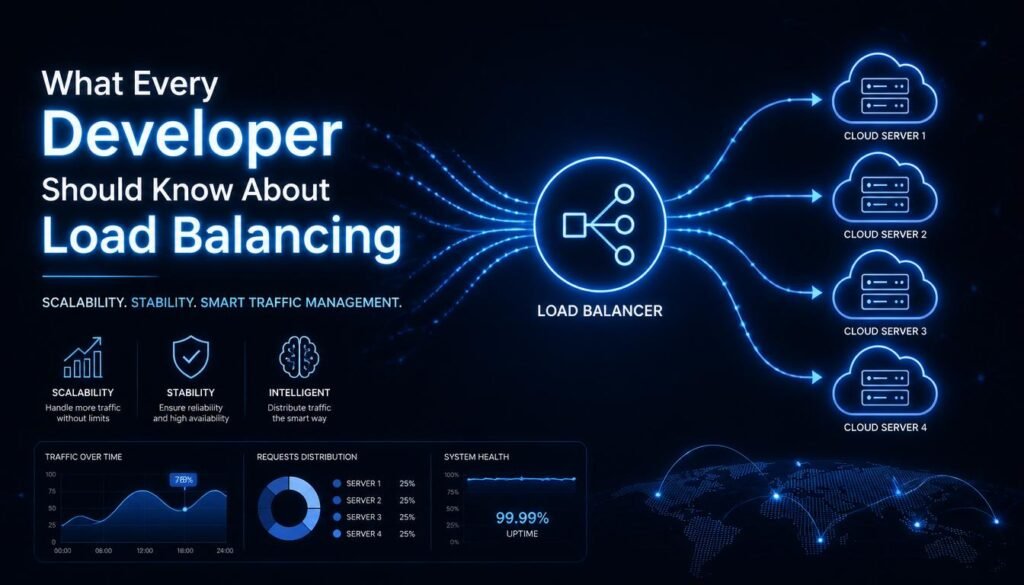
Think of a load balancer as a highly efficient traffic cop standing in front of your infrastructure. When a client makes a request, the balancer intercepts it, assesses the health and availability of your backend infrastructure, and routes the request to an optimal server.
By inserting a load balancer application between the client and your servers, you achieve three critical engineering goals:
- Horizontal Scalability: You can scale your capacity seamlessly by adding more servers to the pool rather than buying progressively more expensive, high-spec hardware.
- Redundancy and High Availability: If a single server suffers a catastrophic failure, the balancer automatically redirects traffic to the surviving nodes, eliminating downtime.
- Resource Optimization: It ensures no single server is overwhelmed with requests while other machines sit idle.
The Core Load Balancing Algorithms:
A load balancer doesn’t guess where to send traffic. It relies on deterministic mathematical approaches called load balancing algorithms to optimize request routing. As a developer, the algorithm you choose directly impacts your application’s performance and resource utilization.
1. Static Algorithms:
These algorithms distribute traffic based on predetermined patterns, completely ignoring the real-time performance metrics of the backend servers.
- Round Robin: The simplest and most common approach. The balancer passes requests down the line of servers sequentially (e.g., Server A, then B, then C, then back to A). This works exceptionally well when all your backend servers have identical hardware specifications.
- Weighted Round Robin: If your server pool contains machines with mixed computing power, you can assign a “weight” to each. A server with a weight of 3 will receive three times as many requests as a server with a weight of 1.
- IP Hash: The balancer takes the client’s IP address, runs it through a hashing function, and uses the resulting hash key to assign the request to a specific server. This ensures that a specific user consistently hits the exact same backend server.
2. Dynamic Algorithms:
Dynamic algorithms inspect the actual, real-time state of your backend servers before routing a request.
- Least Connections: Requests are automatically sent to the server that is currently handling the fewest active connections. This is highly effective for applications where processing times vary drastically per request (like heavy database queries vs. serving static assets).
- Least Response Time: The balancer combines the active connection count with the server’s recent response latency. It prioritizes the fastest, least busy server in the pool.
Layer 4 vs. Layer 7 Load Balancing:
To truly master traffic architecture, you must understand where your load balancer sits on the OSI model network layer. Most modern cloud architectures utilize a mix of Layer 4 and Layer 7 load balancing.
Layer 4: Transport Layer Load Balancing:
Layer 4 balancers operate at the transport layer, meaning they only look at packet information like TCP and UDP protocol data and IP addresses. They do not look inside the actual content of the network packets.
- Pros: Incredibly fast and highly efficient because they require very little CPU processing power.
- Cons: Incapable of making smart routing decisions based on cookie values, HTTP headers, or URL paths.
Layer 7: Application Layer Load Balancing:
Layer 7 balancers operate at the highest level of the OSI model. They fully terminate the network connection, inspect the HTTP/HTTPS traffic, and look at headers, cookies, and the message body.
- Pros: Highly intelligent. You can route traffic based on URL paths (e.g., sending /api requests to one microservice and /images to another) or inject specific headers for SSL termination load balancing.
- Cons: Demands significantly more CPU and memory resources to unpack and inspect every single packet.
The Stateless Architecture Mandate:
Here is the golden rule of modern software engineering: If you want your application to sit behind a load balancer, your application layer must be stateless.
Early web developers relied heavily on sticky sessions (session persistence), where the load balancer forces a specific user to stay anchored to one server because their login session data is saved locally on that machine’s hard drive or RAM.
The Problem with Sticky Sessions: If that specific server crashes, the user’s session data is permanently lost, forcing them to log in again. Furthermore, sticky sessions break the core promise of load balancing; if a viral user triggers a massive influx of heavy requests, they can completely overwhelm a single server while the rest of the pool sits completely empty.
The Modern Solution: Centralized State Management:
To achieve true horizontal scalability, lift your state completely out of your application servers. Move session states, shopping carts, and temporary data into a blazing-fast, centralized external memory layer like Redis or Memcached.
When your servers are entirely stateless, the load balancer can instantly route a user’s request to any machine in the pool. If a server dies, the balancer routes the next click to an adjacent machine, which fetches the user’s session data seamlessly from the centralized cache. The user never notices a thing.
Health Checks: Ensuring System Resiliency:
A load balancer is only as good as its visibility into your system. If a backend server freezes up or suffers a database disconnection, the balancer needs to know instantly so it can stop sending traffic to that broken node. This safeguarding mechanism is called a load balancer health check.
The balancer periodically sends a probe to each backend instance. If an instance fails a specified number of consecutive probes, the balancer marks it as unhealthy and gracefully pulls it out of the active rotation.
Implementing a Robust Health Check Endpoint:
Do not just point your load balancer’s health check to a basic static file like index.html. If your web server is running but your primary database has crashed, a static file check will falsely report that everything is fine.
Instead, build a dedicated, low-overhead endpoint like /health or /status inside your application code that executes quick internal checks:
- Verifies a quick connection to your database.
- Confirms write access to essential cache layers.
- Checks that available disk space and memory usage are within safe operating bounds.
Keep this endpoint lightweight. Because the balancer calls it frequently across multiple instances, it should not execute heavy, unoptimized database queries.
Handling Encryption: SSL Termination vs. Passthrough:
Managing cryptographic certificates and decrypting secure HTTPS traffic is incredibly CPU-intensive. When designing your infrastructure behind a balancer, you have two primary options for handling SSL/TLS encryption.
SSL Termination (Offloading):
In this setup, the SSL termination load balancing process occurs right at the entry point of your balancer. The load balancer decrypts the incoming HTTPS traffic from the user, translates it into plain HTTP, and forwards it to your internal backend servers over a highly secure, private network.
- The Advantage: Your backend servers are completely spared from the heavy CPU overhead of constant decryption, allowing them to dedicate 100% of their processing power to running your application code. It also centralizes your SSL certificates in one single place, making renewals simple.
SSL Passthrough:
With passthrough, the load balancer acts as a silent pipe. It forwards the encrypted packets directly to the backend servers without opening them. The individual backend application servers are responsible for managing the SSL certificates and performing the decryption themselves.
- The Advantage: Essential for ultra-secure compliance environments (like banking or healthcare infrastructure) where data must remain encrypted at every single point, even within the internal private network.
Conclusion
Load balancing is not just an infrastructure setting; it is a fundamental architectural philosophy. By treating your application instances as interchangeable, stateless workers and allowing an intelligent network load balancer to orchestrate traffic flows, you pave the way for limitless scale and impeccable resilience. Design your systems with robust health checks, extract your state data early, choose the right load balancing algorithms, and your web applications will stand firm against whatever traffic waves the internet throws your way.
FAQs:
1. What is the primary difference between horizontal and vertical scaling?
Vertical scaling means adding more raw power (CPU, RAM) to an existing single server, while horizontal scaling means adding more independent servers to your pool.
2. Can a load balancer itself become a single point of failure?
Yes, which is why production environments deploy load balancers in redundant pairs using a floating virtual IP address for automatic failover.
3. What is a “noisy neighbor” effect in cloud load balancing?
It occurs when one high-traffic application tenant monopolizes shared infrastructure resources, slowing down adjacent, unrelated applications on the same network.
4. Why do Layer 7 load balancers consume more CPU than Layer 4 balancers?
Layer 7 balancers must perform deep packet inspection to analyze application-layer data like HTTP headers, cookies, and text strings.
5. What happens to a live user request during a backend server crash?
A well-configured load balancer detects the sudden connection drop and transparently retries the failed request on a healthy backend server.
6. Does using a load balancer completely eliminate the need for application caching?
No, load balancers optimize traffic distribution across physical machines, whereas application caching reduces the computational workload inside those individual machines.