What Happened When I Automated My CI Pipeline
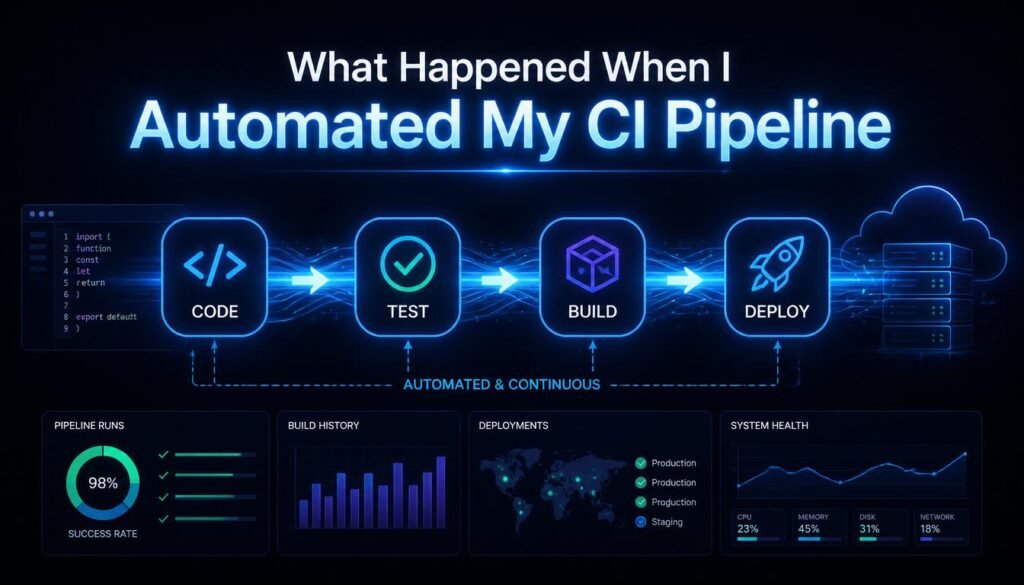
CI pipeline automation sounded straightforward in theory, set it up once, and let the system handle the rest. In practice, automating my continuous integration workflow taught me more about software engineering discipline than any single coding project ever had. Here’s exactly what happened, what broke, and what I learned along the way.
What Is a CI Pipeline?
A CI pipeline, short for continuous integration pipeline, is an automated workflow that builds, tests, and validates code changes every time a developer pushes updates to a shared repository. Instead of manually compiling code, running tests, and checking for errors, a CI pipeline handles these steps automatically, catching problems early before they reach production.
The core idea behind continuous integration is simple: integrate code changes frequently, in small increments, and verify each change immediately through automated processes. This reduces the classic “it works on my machine” problem and prevents small bugs from snowballing into major production issues.
Before automating my own pipeline, I was manually running tests, manually deploying builds, and manually checking for code quality issues, a process that was slow, inconsistent, and prone to human error. I had no idea how much that manual overhead was costing my team until I removed it entirely.
Why I Decided to Automate:
The decision to build an automated CI pipeline came after a particularly painful release where a broken build slipped through manual testing and caused a production outage. That single incident made it clear that relying on manual processes for quality assurance simply wasn’t sustainable as the codebase and team grew.
I wanted a system that could automatically:
- Run unit tests and integration tests on every code push.
- Catch build failures before they reached the main branch.
- Enforce code quality standards through automated linting and static analysis.
- Deploy successfully tested code to staging environments without manual intervention.
- Provide instant feedback to developers through build status notifications.
This goal became the foundation of everything I built afterward.
Choosing the Right CI/CD Tools:
One of the first challenges I faced was selecting the right CI/CD tools for my automation pipeline. The ecosystem is massive, and each tool comes with different tradeoffs in terms of flexibility, scalability, and ease of configuration.
I evaluated several popular options:
- GitHub Actions: Tightly integrated with GitHub repositories, offering a simple YAML-based configuration that made it easy to get started quickly.
- Jenkins: A highly customizable, self-hosted automation server with an enormous plugin ecosystem, though it required significantly more setup and maintenance.
- GitLab CI/CD: A strong choice for teams already using GitLab, with built-in pipeline visualization and tight integration with version control.
- CircleCI: Known for fast build times and excellent Docker support, making it attractive for containerized applications.
After comparing these options against my project’s needs, I ultimately chose GitHub Actions due to its seamless integration with my existing repository and the simplicity of defining workflows directly within the codebase using YAML configuration files.
Building the Pipeline: Step by Step:
1. Defining the Build Stage:
The first stage of my CI pipeline focused on the build process, compiling code, installing dependencies, and ensuring the application could successfully build without errors. I configured this stage to trigger automatically on every push and pull request, ensuring no broken code could be merged without detection.
2. Automating Testing:
Next, I integrated automated unit testing and integration testing into the pipeline. Every code change now triggered a full test suite run, with results reported directly within the pull request interface. This was, by far, the most impactful change, catching bugs immediately rather than days or weeks later during manual QA.
3. Implementing Static Code Analysis:
I added linting and static code analysis tools to automatically flag code style violations, potential security vulnerabilities, and code smells before a human reviewer even looked at the changes. This significantly reduced the time spent on manual code review discussions about formatting and minor issues.
4. Setting Up Automated Deployment:
Once builds and tests passed consistently, I extended the pipeline to handle automated deployment to a staging environment. This introduced me to the broader concept of continuous deployment (CD), where successfully validated code moves through the pipeline with minimal manual intervention.
5. Adding Notifications and Monitoring:
Finally, I integrated build status notifications through Slack and email, ensuring the team received instant feedback whenever a build failed or a deployment succeeded. This closed the feedback loop and made the entire automation pipeline far more transparent.
What Broke Along the Way:
Automating a CI pipeline wasn’t a smooth, linear process. Several things broke, and each failure taught me something valuable.
Flaky Tests Became a Major Problem:
One of the biggest surprises was discovering how many of my automated tests were flaky, passing or failing inconsistently due to timing issues, external dependencies, or race conditions. This eroded trust in the pipeline quickly, since developers started ignoring failed builds, assuming they were false alarms.
Fixing this required isolating tests with unreliable external dependencies, introducing proper mocking and test isolation, and treating flaky tests as a priority bug rather than an annoyance to work around.
Build Times Spiraled Out of Control:
As the test suite grew, build times increased dramatically, sometimes taking over twenty minutes per run. This slowed down development significantly, since developers were waiting longer for feedback on every change.
I solved this by implementing parallel test execution, caching dependencies between builds, and splitting the test suite into smaller, independently runnable groups. These optimizations cut build times by more than half.
Secrets Management Became a Security Concern:
Early in the process, I made the mistake of hardcoding API keys and credentials directly into configuration files, a serious security risk I quickly corrected. I learned to use proper secrets management tools built into GitHub Actions, ensuring sensitive data never appeared in version control or build logs.
Pipeline Configuration Became Difficult to Maintain:
As the pipeline grew more complex, the YAML configuration files became harder to read and maintain. I eventually restructured the pipeline using reusable workflows and modular job definitions, which made the configuration significantly more maintainable as the project scaled.
The Results After Full Automation:
Once the CI pipeline stabilized, the impact on my development workflow was significant:
- Faster feedback loops: Developers received test results within minutes instead of waiting for manual QA cycles.
- Fewer production bugs: Automated testing caught issues before they ever reached the main branch, let alone production.
- Improved code quality: Automated linting and static analysis enforced consistent standards across the entire team.
- Reduced manual overhead: Tasks that previously consumed hours of manual effort were now handled automatically within minutes.
- Increased developer confidence: Knowing that a robust safety net existed made the team far more willing to ship changes frequently, reinforcing the core philosophy behind continuous integration.
Lessons I’d Share With Anyone Automating a CI Pipeline:
Reflecting on the entire process, here’s what I’d tell anyone starting their own CI/CD automation journey:
- Start small: Don’t try to automate everything at once. Begin with basic build and test automation before layering in deployment and monitoring.
- Treat flaky tests as critical bugs: A pipeline that developers don’t trust is worse than no pipeline at all.
- Invest in build speed early: Slow pipelines discourage frequent commits, undermining the entire purpose of continuous integration.
- Never hardcode secrets: Use proper secrets management from day one to avoid serious security vulnerabilities.
- Keep configuration modular: Reusable, well-organized workflow definitions save enormous time as projects scale.
- Document the pipeline: Future team members (and future you) will thank you for clear documentation explaining how the automation pipeline works.
Final Thoughts:
Automating my CI pipeline turned out to be far more transformative than I initially expected. What started as a simple effort to catch bugs earlier evolved into a complete rethinking of how my team approached software quality, deployment, and collaboration. The process wasn’t without setbacks, but every failure, from flaky tests to slow build times, ultimately made the final system more reliable. For any developer or team still relying on manual testing and deployment, investing in a properly automated CI pipeline is one of the highest-leverage changes you can make.
FAQs:
1. What is a CI pipeline?
It’s an automated workflow that builds, tests, and validates code changes on every push.
2. What’s the difference between CI and CD?
CI focuses on automated testing and integration, while CD extends this to automated deployment.
3. What tools are commonly used for CI/CD automation?
Popular options include GitHub Actions, Jenkins, GitLab CI/CD, and CircleCI.
4. Why are flaky tests a problem in CI pipelines?
They erode developer trust, causing teams to ignore genuine build failures over time.
5. How can build times be reduced in a CI pipeline?
Through parallel test execution, dependency caching, and splitting large test suites.
6. Why is secrets management important in CI/CD?
It prevents sensitive credentials from being exposed in code or build logs.